

Deploying Sitecore with Docker has become a standard for many developers due to its flexibility and speed. But as powerful as this setup is, it can come with its own set of challenges. In this post, we’ll walk through some common Sitecore Docker errors, why they occur, and how to resolve them efficiently.
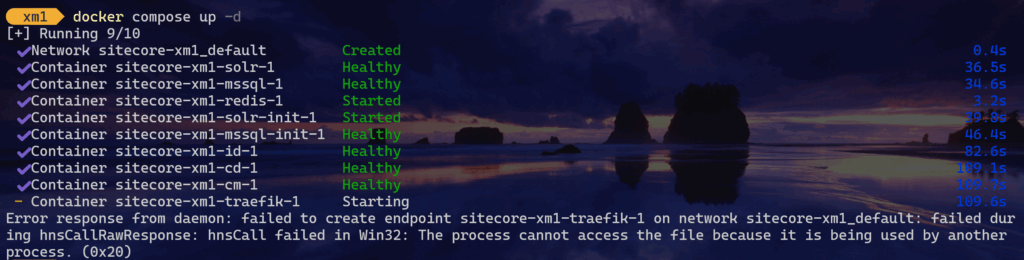
Error response from daemon: failed to create endpoint
Solution
Make sure you stop IIS Service, post that run docker compose up the issue should be resolved.

If still the issue persists check if any of the ports are getting used by any other service by using following command and stop the service that is consuming the ports and get your containers up by running compose up command as mentioned before. You can even run the command in detached mode using docker compose up --detach
netstat -ano | findStr <PORT>Sitecore containers use following ports
| Required Port | Role | Description |
| 443 | Traefik | HTTPS Proxy |
| 8079 | Traefik | Traefik Dashboard |
| 8984 | Solr | Solr API and dashboard |
| 14330 | SQL | SQL Server |